

QPAN
A QPAN (Quick Pan) is a lightning-fast camera move that instantly pulls the viewer’s eye from one point to another. It feels like a whip of the camera, short, energetic, and full of impact.
Animators rely on QPAN when they need urgency or sharp punctuation. Instead of cutting, a quick pan bridges two moments in a burst of motion. Because the move is so short, the visuals are often simplified: streaked backgrounds, speed lines, or minimal detail keep the action readable at high speed. QPAN keeps the motion clear while still delivering that instantaneous punch. Be aware that the Nagare PAN is rapid as well, but it uses streamlines.
Other variation of the QPAN:
- FLASH PAN (フラッシュPAN)
- ROUGH PAN (フラPAN)
- EXPRESS PAN (急行PAN)
- SLIP PAN (スリップPAN)
- NAGARE PAN (流PAN)
Timesheet
In the timesheet camera column, write the direction and duration clearly. Keep durations short, commonly under 12 frames. There is some examples as below:
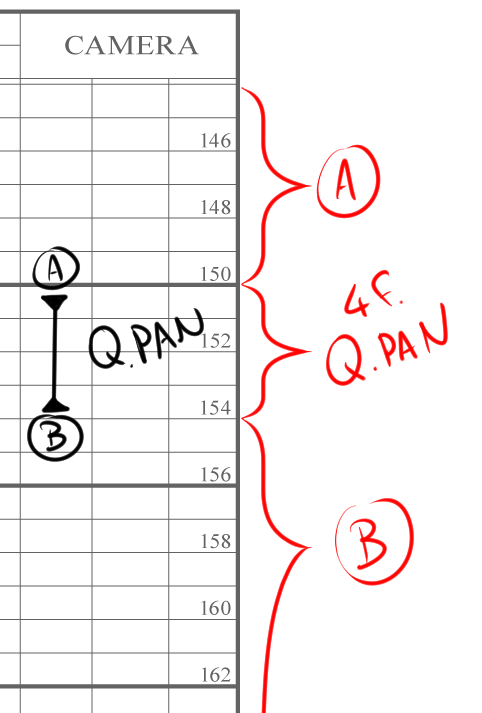
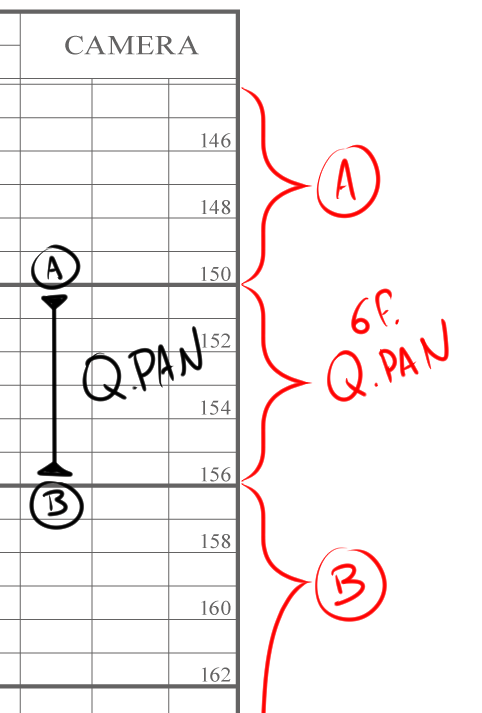
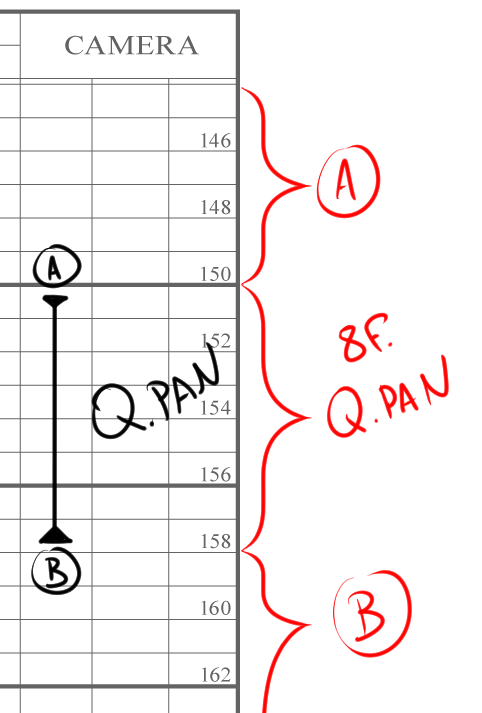
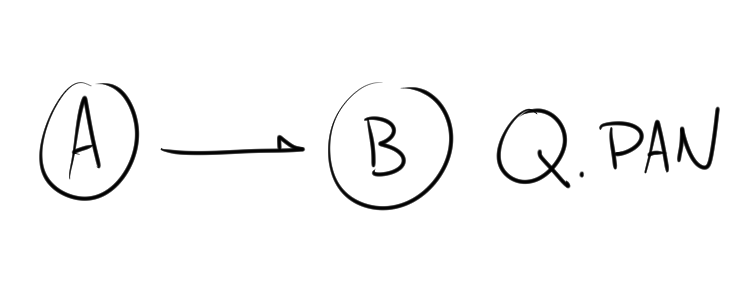
In the Memo field, you may enter:
Timechart
On the timechart, QPAN shows up as a very short span between the start (A) and end (B). Evenly spaced, tight marks create a straight, snappy feel. If you want the pan to ease in or ease out, compress or stretch the spacing slightly. For pans with smears or speed-line effects, add notes next to the chart so background and photography teams know exactly how to follow through.
To make a QPAN work, always mark it clearly in both the timesheet and the timechart. Keep it short, simplify the drawings, and use small holds to accentuate the impact. Done right, a QPAN adds rhythm and immediacy, one of those little touches that makes a cut feel alive.