

T.U・T.B
TU/TB means Track Up / Track Back (トラックアップ/トラックバック) also written Truck In / Truck Out (トラックイン/トラックアウト). It simulates the camera moving closer to or farther from the subject. Unlike a zoom (which changes focal length), a good TU/TB feels like physical movement, achieved in animation by multi-plane (マルチ) parallax and layer scaling.
Because drawings are flat, a convincing TU/TB comes from relative motion between layers: foreground cels and effects grow faster, mid layers grow moderately, and the BG grows slowest. This layered scaling creates depth and avoids the « flat zoom » look. You can also combine a slight pan to keep the subject centered. Define the anchor (expansion center), e.g., the character’s face, so the shot doesn’t drift.
Timesheet
Write TU/TB in the camera instruction column with direction, duration, and (ideally, but not necessary) magnification values.
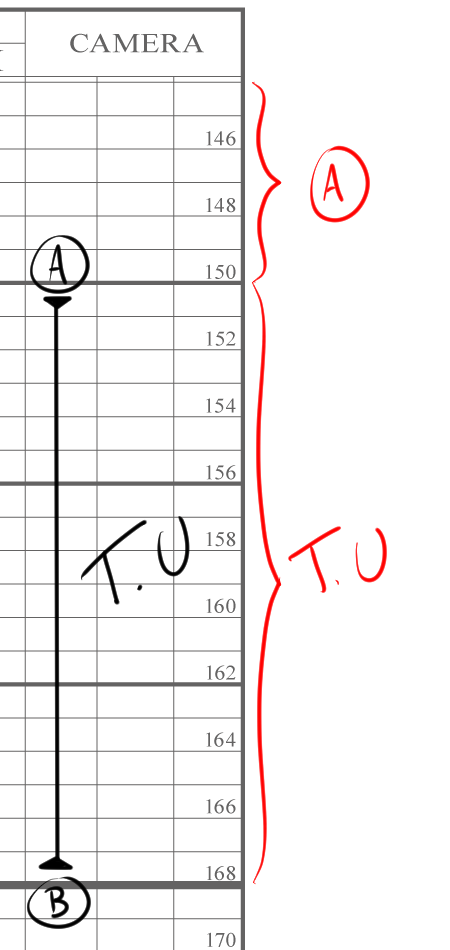
On the camera instruction before A, it is only A camera. After B, it stays as B.
In the Memo field, you may enter:
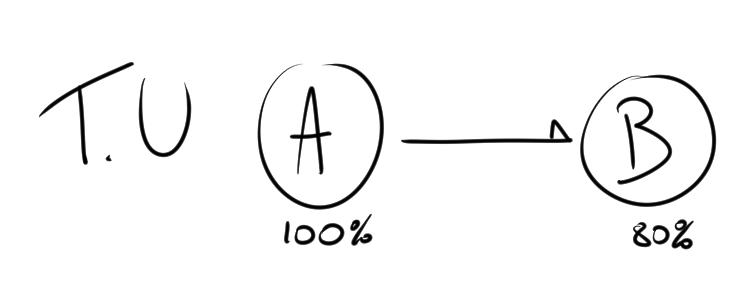
The percentage is not required, though it is ideal to write it down.
You can use multi-plane parallax to make the cut more alive.
Timechart
Plot TU/TB as a short A→B curve or line labeled with start/end magnification. Even spacing gives a steady push; compressed spacing at the start or end creates ease-in/out. For multi-plane shots, draw separate lines (e.g., Cel and BG) with different slopes to show parallax. Note the anchor (« Fix on face ») beside the chart so photography/compositing match your intention.
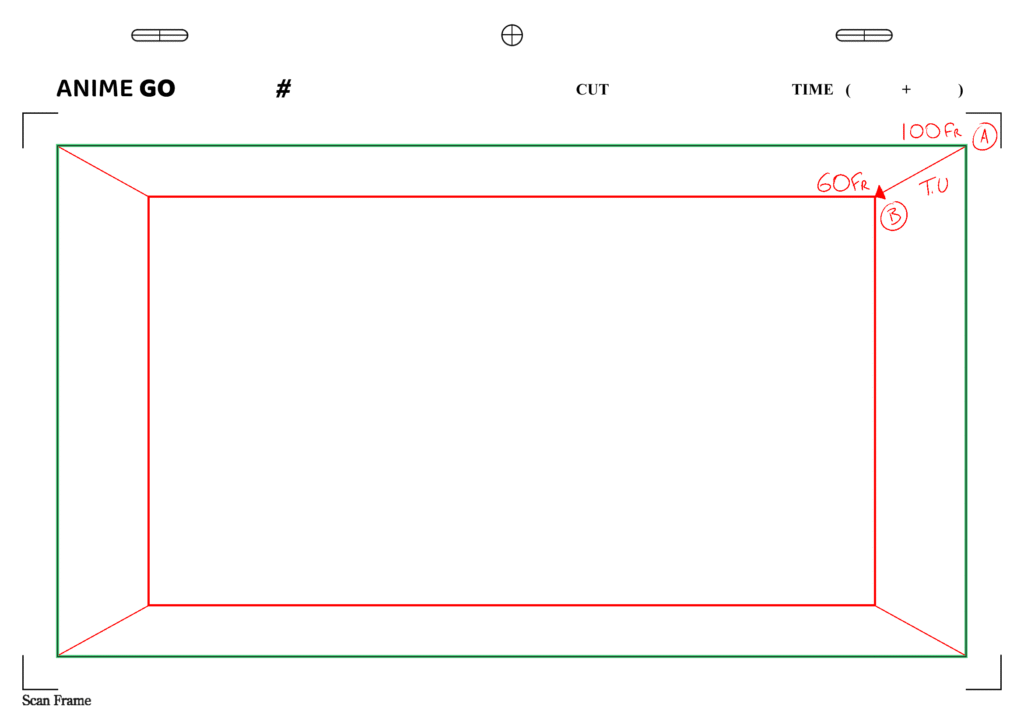
Rotation T.U/T.B
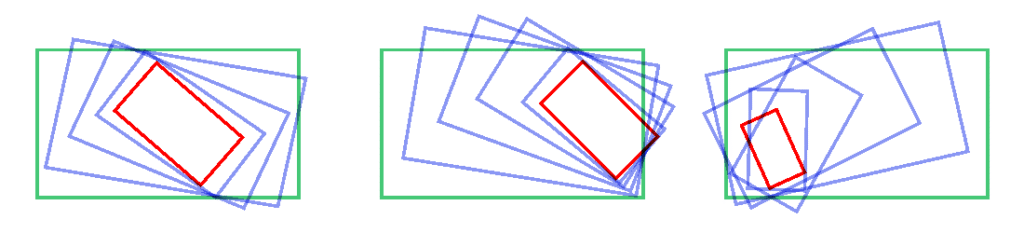
When dealing with rotation T.U/T.B, be mindful of frame exposure outside the intended area (バレ). The trajectory of the frame can be larger than expected, which often results in retakes due to cel exposure (セルバレ) or background exposure (BGバレ).
This happens because the douga, finishing, and art departments rely on the shooting trajectory curve indicated in the layout. If these instructions are predicted and corrected properly during the genga stage, many unnecessary retakes could be avoided.
Some examples are provided below for reference.
Mark TU/TB on both the timesheet and the timechart. Specify duration, start/end scale, and the anchor point, and, when possible, use multi-plane differences to keep it feeling like a true camera move rather than a flat zoom.